Google Ads in 2026 is driven by automation, and automation is only as good as the data you feed it. Get conversion tracking right first, including enhanced conversions and consent mode where required, choose the campaign types that match your goals, give smart bidding clear value signals, control where you show up with negative keywords and brand settings, and use landing pages that convert. Scale gradually and judge success on profit, not clicks.
On this page
- How Google Ads works
- How Google Ads has changed
- Choosing campaign types
- Conversion tracking comes first
- Performance Max, explained
- Search campaigns: keywords, match types and negatives
- Quality Score and ad relevance
- Bidding strategies
- The inputs that actually matter
- Landing pages decide cost per acquisition
- How much do Google Ads cost?
- Account structure that stays manageable
- Scaling without breaking it
- What to review, and how often
- Frequently asked questions
Google Ads remains one of the fastest ways to reach people who are actively looking for what you sell. It has also changed more in the last few years than in the decade before: automated bidding is the default, broad match and Performance Max rely on machine learning, and privacy changes mean conversion tracking needs more care. Accounts that treat automation as a black box waste money. Accounts that feed it accurate data and clear constraints can scale profitably. This guide explains how. This Google Ads guide 2026 covers campaign types, Google Ads bidding strategies, Performance Max, Quality Score and conversion tracking.
How Google Ads works
Every time someone searches or browses, Google runs an auction among eligible ads. Your position and cost are determined by Ad Rank, which considers your bid, the quality of your ads and landing page, the expected impact of assets such as sitelinks, and the context of the search. With pay-per-click bidding you are charged when someone clicks, and you usually pay less than your maximum bid.
How Google Ads has changed
- Automation is the default: smart bidding strategies such as Maximise Conversions and target ROAS optimise every auction using many signals.
- Keywords are looser: match types now match by meaning, and broad match combined with smart bidding is widely used.
- Responsive search ads replaced expanded text ads: you supply up to 15 headlines and 4 descriptions and Google assembles combinations.
- Performance Max runs across all Google inventory from one campaign.
- Demand Gen replaced Discovery campaigns for visual ads on YouTube, Discover and Gmail.
- Privacy changes make enhanced conversions, consent mode and first-party data essential.
Choosing campaign types
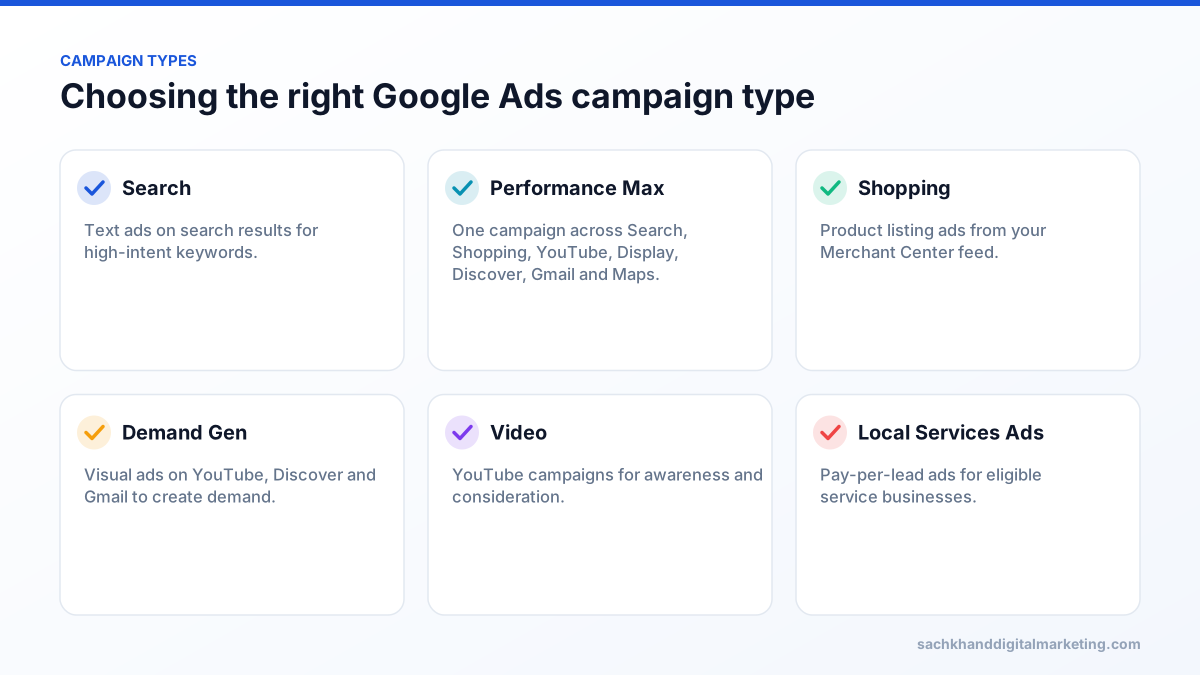
Start from the goal. For lead generation with clear search demand, Search campaigns give the most control. Ecommerce stores usually combine Shopping or Performance Max with brand and category Search campaigns. Demand Gen and video build demand among people who are not yet searching.
Conversion tracking comes first
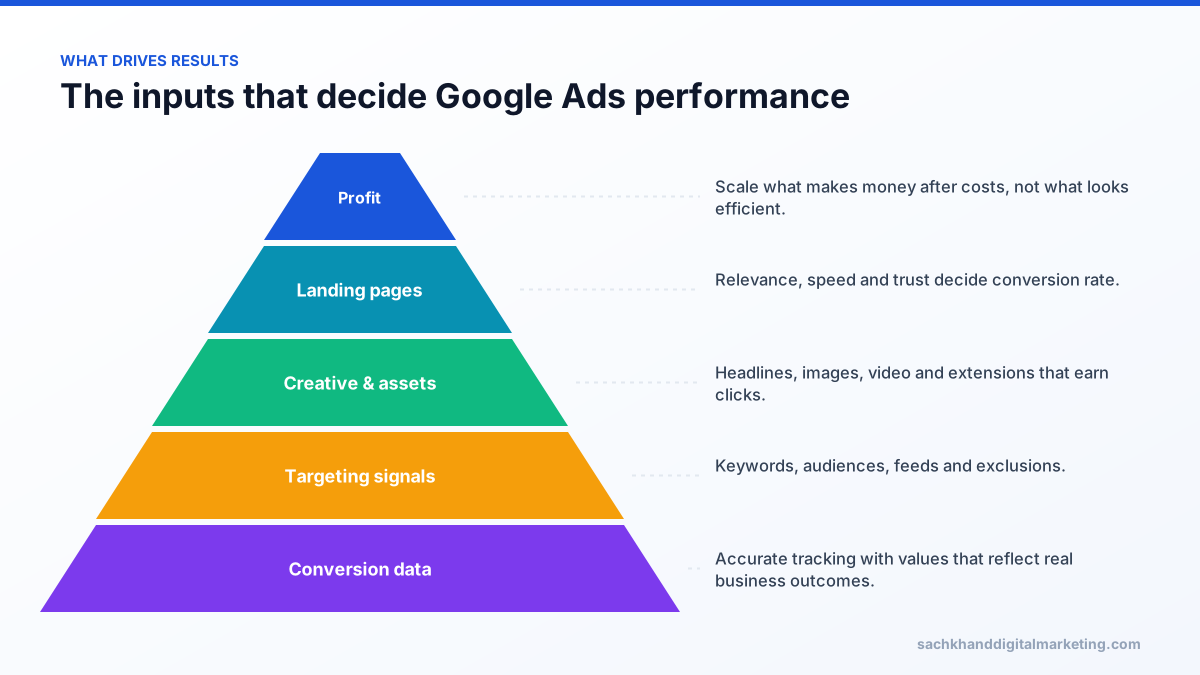
Smart bidding optimises toward the conversions you report. If tracking counts page views, duplicate form submissions or low-value actions, Google will find more of those, not more customers.
- Track real business outcomes: purchases with revenue, qualified leads, booked calls.
- Set primary conversions for bidding and secondary conversions for observation.
- Implement enhanced conversions to improve measurement accuracy with hashed first-party data.
- Use consent mode where required; it is mandatory for advertisers using data from users in the European Economic Area.
- Import offline conversions from your CRM so bidding learns which leads become sales.
- Assign conversion values that reflect profit or lead quality where possible.
Performance Max, explained
Performance Max (PMax) uses your goals, budget, assets, feeds and audience signals to serve ads across Search, Shopping, YouTube, Display, Discover, Gmail and Maps. It can deliver scale, especially for ecommerce, but it needs guidance:
- Feed quality: titles, images, prices and product categories in Merchant Center drive Shopping performance.
- Asset groups by theme: group products or services with matching creative and audience signals.
- Brand controls: use brand exclusions and account-level negatives so PMax does not take credit for brand searches you would win anyway.
- Reporting: review search term, placement and asset insights regularly.
- Enough conversion volume: PMax performs best with consistent conversion data.
Search campaigns: keywords, match types and negatives
| Match type | How it matches | When to use |
|---|---|---|
| Broad | Searches related to the meaning of the keyword, using signals such as landing page and other keywords | With smart bidding and strong conversion data, for reach |
| Phrase | Searches that include the meaning of the keyword | Balanced control and reach |
| Exact | Searches with the same meaning or intent | High-value, proven terms |
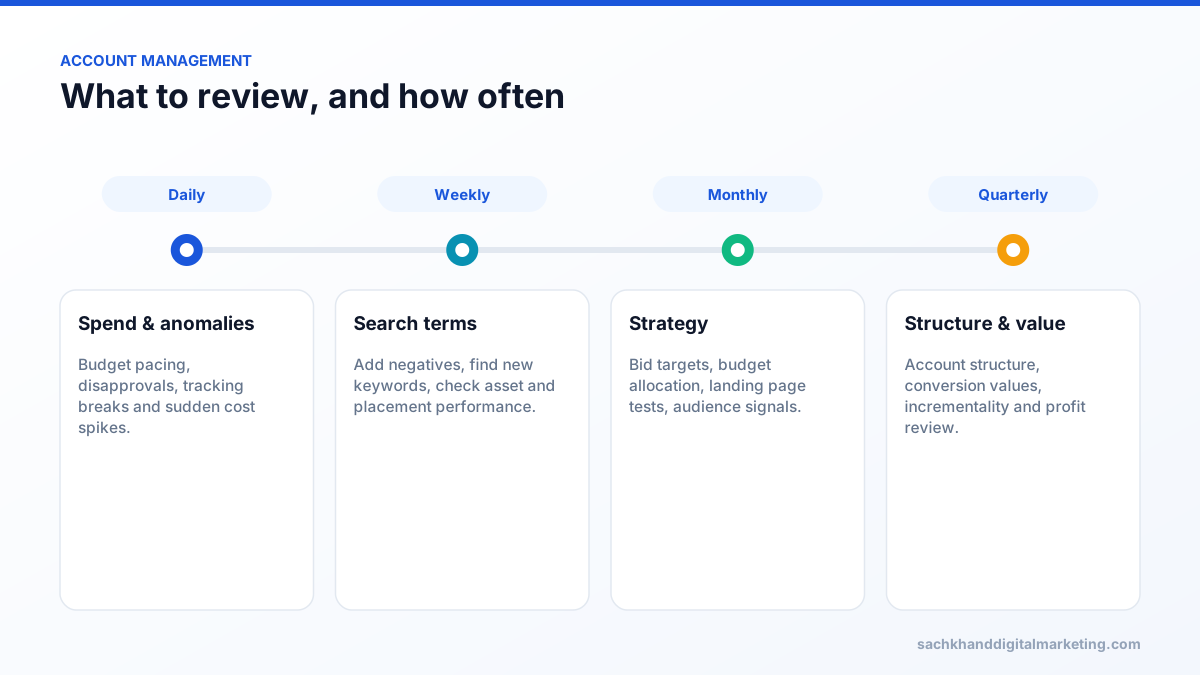
The search terms report is where most wasted spend is found. Review it weekly, add negative keywords for irrelevant searches such as jobs, free, DIY or competitor support queries, and promote converting search terms to keywords.
Quality Score and ad relevance
Quality Score is a 1–10 diagnostic based on expected click-through rate, ad relevance and landing page experience. It is not used directly in the auction, but the same factors influence Ad Rank and cost. Improve it by grouping closely related keywords, writing ads that reflect the searcher’s words and sending traffic to fast, relevant landing pages.
Get a prioritised action plan from our specialists, free.
Bidding strategies
| Strategy | Best for | Watch out for |
|---|---|---|
| Maximise Conversions | New campaigns building data | Can overspend budget on lower-quality conversions |
| Target CPA | Lead generation with stable lead values | Targets set too low choke volume |
| Maximise Conversion Value / Target ROAS | Ecommerce and valued leads | Needs accurate values and enough volume |
| Maximise Clicks | Traffic goals with limited tracking | Does not optimise for outcomes |
| Manual CPC | Very low volume or tightly controlled tests | Loses auction-time signals |
Change targets gradually, typically in steps of 10–20%, and allow time for learning before judging results.
The inputs that actually matter
Ads and assets
Write headlines that cover different angles: the service, benefits, proof, offers and calls to action. Add sitelinks, callouts, structured snippets, images, call and lead form assets where relevant. Pin only when necessary for compliance or clarity, since pinning reduces combinations.
Audience signals
Customer lists, website visitors and custom segments based on search terms guide automated campaigns toward the right people, especially in Performance Max and Demand Gen.
Landing pages decide cost per acquisition
Two advertisers paying the same cost per click can have very different costs per lead because of their landing pages. Match the headline to the search intent, show pricing guidance or offers, add proof near the form, keep forms short and make pages fast on mobile. See our CRO guide.
How much do Google Ads cost?
You set the budget, and costs per click vary widely by industry, location and competition, from under a dollar in some niches to well over $50 in legal, insurance and some B2B categories. A more useful question is what you can afford to pay per customer. Work backwards from customer value, close rate and margin to a target cost per lead, then test whether the market allows it. Remember that a campaign’s daily budget is an average: Google can spend up to twice the daily budget on a given day but will not exceed the monthly limit of roughly 30.4 times the daily budget.
Account structure that stays manageable
- Separate brand and non-brand campaigns so brand performance does not hide weak prospecting.
- Group by service line, product category or margin level, not by dozens of tiny ad groups.
- Consolidate where data is thin; automated bidding needs volume.
- Use consistent naming conventions for campaigns and conversion actions.
Scaling without breaking it
- Increase budgets gradually on campaigns that are limited by budget and hitting targets.
- Loosen targets slightly rather than doubling budgets overnight.
- Expand to new keyword themes, locations or campaign types one at a time.
- Watch marginal returns: the last dollars spent are less efficient than the first.
- Validate with incrementality tests or geographic holdouts for large budgets.
What to review, and how often
Frequently asked questions
Is Performance Max worth it?
For many ecommerce and lead generation accounts with good conversion tracking and feeds, yes, especially for scale. It works best alongside Search campaigns, with brand exclusions, clear asset groups and regular review of insights.
How do I lower my Google Ads cost per lead?
Fix conversion tracking so bidding optimises for real leads, add negative keywords from the search terms report, improve ad relevance and landing page conversion rate, and focus budget on the campaigns and keywords that produce qualified leads.
Should I still use manual bidding?
Rarely. Smart bidding uses auction-time signals manual bidding cannot. Manual CPC can still help in very low-volume accounts or controlled tests.
How much should I spend on Google Ads?
Work backwards from customer value, close rate and target cost per acquisition. Start with enough budget to generate meaningful conversion data, then scale campaigns that meet profit targets.
How long does it take for Google Ads to work?
Ads can generate traffic immediately, but smart bidding typically needs one to several weeks of learning and conversion data before performance stabilises.
Want certified experts running your account?
Talk to our team about your goals. We will show you where the biggest wins are, starting with a free, no-obligation audit.