Google ranks businesses in Maps and the local pack on three factors: relevance (how well your profile matches the search), distance (how close you are to the searcher or the location searched) and prominence (how well known and trusted you are). To rank higher on Google Maps: choose the most accurate primary category, complete every Business Profile field, earn steady reviews, add real photos and updates, build strong local pages on your website, keep your business details consistent everywhere, and earn local links and mentions.
On this page
- Google Maps ranking factors
- Step 1: Get categories right
- Step 2: Complete every profile field
- Step 3: Earn steady Google reviews
- Step 4: Photos and Google posts
- Step 5: Strengthen your website’s local signals
- Local rank tracking
- Why is my business not showing on Google Maps?
- Google Maps for service area businesses
- Mistakes that hurt map rankings
- Turning map views into customers
- Google Maps ranking checklist
- Frequently asked questions
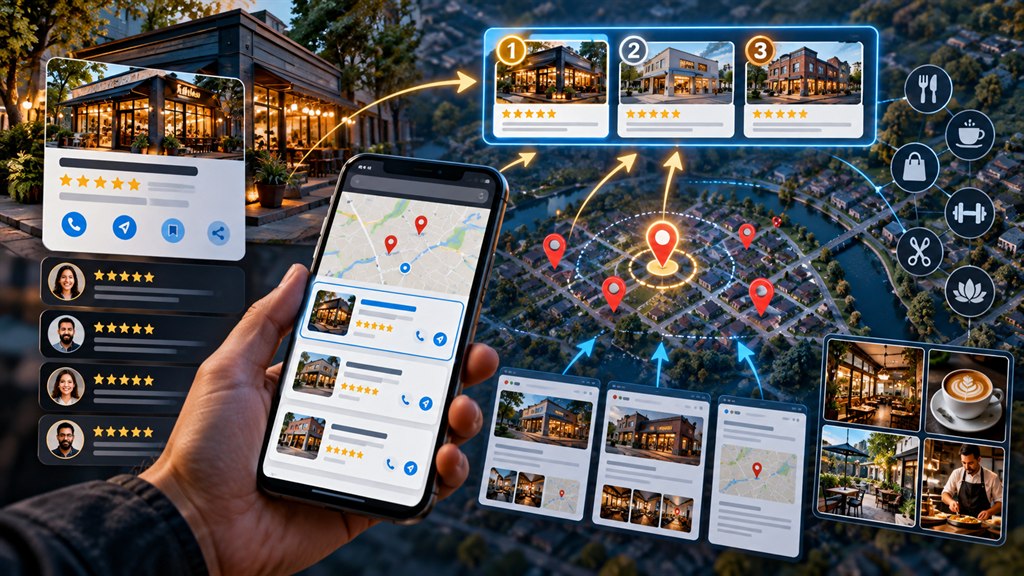
For most local searches, Google shows a map pack (the 3-pack) above the normal results — and many customers call straight from it. This guide shows how to rank in Google Maps step by step. It goes deeper than our local SEO playbook and complements our Google Business Profile checklist.
Google Maps ranking factors
Google publicly describes local ranking as a mix of relevance distance prominence:
| Factor | What it means | What you control |
|---|---|---|
| Relevance | How well your profile matches the search | Categories, services, description, website content |
| Distance (proximity) | How close you are to the searcher or searched location | Little — your real address |
| Prominence | How well known and trusted you are | Reviews, links, mentions, citations, website strength |
These are the core Google Maps ranking factors behind every Google Maps ranking.
Step 1: Get categories right
Your primary category is the single most important relevance signal. Choose the most specific accurate category (“Emergency plumber” rather than “Contractor” if it is genuinely your main business), then add relevant secondary categories. Check which Google Business Profile categories top competitors use.
Step 2: Complete every profile field
- A plain business description of what you do and where.
- Google Business Profile services and Google Business Profile products listed in full.
- Accurate opening hours, including holiday hours.
- Attributes, booking links and contact details.
- Answers in Q&A Google Business Profile features where available.
Step 3: Earn steady Google reviews
Google reviews drive prominence and clicks. Ask every customer, reply to every review, and aim for a steady flow rather than bursts. Review keywords — customers naturally mentioning the service and area — reinforce relevance; never script or incentivise them. See how to get more Google reviews.
Step 4: Photos and Google posts
Add real Google Business Profile photos of your team, premises, vehicles and work regularly. Use Google posts for offers, updates and events — they show activity and help conversion.
Step 5: Strengthen your website’s local signals
Your website feeds relevance and prominence. Build local landing pages for each location and core service, show your name, address and phone consistently, add LocalBusiness schema and embed a map. Local backlinks from local news, associations, sponsors and suppliers build prominence. See our local citations guide for NAP consistency.
We map your visibility street by street and fix what holds you back.
Local rank tracking
Map rankings change from street to street, so a single rank check misleads. A geogrid rank tracker checks your position at points across your area and shows where you are strong or weak. Combine local rank tracking with Business Profile insights — calls, direction requests and website clicks.
Why is my business not showing on Google Maps?
- The profile is unverified, suspended or has a duplicate.
- You are searching from too far away, or for a term that does not match your categories.
- Your address type does not match (service-area businesses do not show an address).
- Competitors are much stronger on reviews and prominence.
If Google Maps not showing my business is your problem, check verification and duplicates first. A sudden Google Maps ranking drop often follows edits to your name, categories or address, a suspension, or a local algorithm change.
Google Maps for service area businesses
Google Maps for service area business owners works differently: you rank mainly near your verified location even when you serve a wide area. See our service-area business SEO guide.
If you would rather hand it over, Google Maps SEO services from a local SEO agency cover profile, reviews, citations and tracking — see our Google Business Profile optimization and local SEO services. Good Google Maps marketing is mostly consistency, done every month.
Mistakes that hurt map rankings
- Business name keyword stuffing (“Smith Plumbing – Best Emergency Plumber Leeds”) breaks Google’s guidelines and can trigger a Google Business Profile suspension.
- Duplicate Google Business Profiles split reviews and confuse ranking — merge or remove them.
- Changing address or categories frequently.
- Ignoring reviews instead of a consistent Google Maps reviews response.
Turning map views into customers
Ranking matters less than what happens next. Improve local pack CTR and conversions with strong photos, a high rating, accurate attributes (accessibility, payment options), a booking button where relevant, and fast replies if you use messaging on Google Business Profile. Decide clearly between service area vs storefront setup — see our service-area guide.
Google Maps ranking checklist
- Specific primary category, relevant secondary categories.
- Every field complete; services and products listed.
- Steady reviews, all answered.
- New photos and posts monthly.
- Local landing pages and LocalBusiness schema.
- Consistent NAP; no duplicates.
- Geogrid tracking monthly.
Keep this Google Maps ranking checklist as a monthly routine.
Google Maps ranking: frequently asked questions
How do I rank higher on Google Maps?
Choose the most accurate primary category, complete your Business Profile, earn steady reviews, add photos and posts, build local pages on your site, keep NAP consistent and earn local links.
What are the main Google Maps ranking factors?
Google describes three: relevance, distance and prominence.
Why is my business not showing on Google Maps?
Common causes are an unverified or suspended profile, duplicates, searching too far from your location, or categories that do not match the search.
Do Google posts help map rankings?
They show activity and can improve engagement and conversions; their direct ranking effect is modest compared with categories, reviews and prominence.
How long does it take to rank in Google Maps?
Profile fixes can help within weeks; building reviews and prominence to beat strong competitors usually takes several months.
Can I rank in Google Maps without a physical address?
Yes, as a service-area business, but you will rank mainly near your verified location.
Can keywords in my business name help map rankings?
They can appear to, but adding keywords that are not part of your real business name breaks Google’s guidelines and risks suspension.
Should I merge duplicate Google Business Profiles?
Yes. Duplicates split reviews and signals; request removal or merging through Google Business Profile support.
Does responding to reviews help Google Maps rankings?
It builds trust and engagement, and Google encourages it; its direct ranking effect is smaller than review volume and rating, but it helps conversion.