A social media content calendar plans what you will post, where and when, usually a month ahead. Build it from three to five content pillars, set a realistic posting frequency for each platform, batch-create content in one or two sessions a month, schedule it with a tool, and leave room for timely posts. As a guide, most businesses do well with three to five posts a week on Instagram or Facebook, daily or near-daily on TikTok if possible, and two to four on LinkedIn.
On this page
- Start with content pillars
- How often to post on each platform
- Best time to post on social media
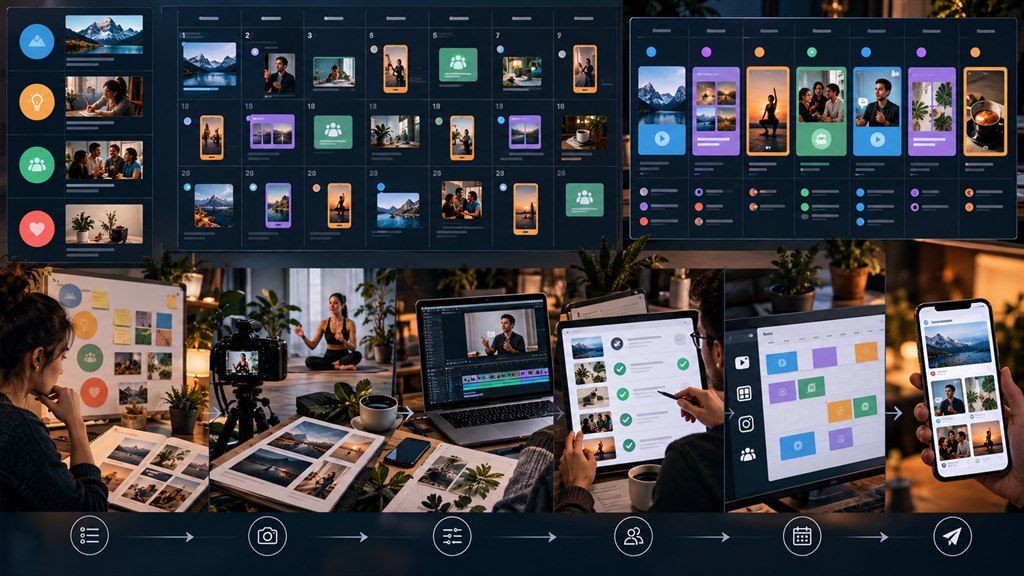
- How to build the calendar
- Batching content
- Social media scheduling tools
- Evergreen content and repurposing
- Workflow and approvals
- Social media post ideas to fill the calendar
- A sample weekly posting schedule
- Where to keep your calendar
- Awareness days and campaigns
- Close the loop with reporting
- Social media management services and content calendars
- Frequently asked questions
Most social accounts fail from inconsistency, not bad ideas: a burst of posts, then silence. A calendar fixes that by turning social into a monthly routine. This guide shows how to create a social media content calendar and answers how often to post on social media. It is part of our social media marketing guide.
Start with content pillars
Content pillars examples for a local business:
- Educate — tips and answers to customer questions.
- Prove — reviews, results and case studies.
- Show — behind the scenes, team and process.
- Offer — products, services and promotions.
- Community — local events, partners and customers.
Rotate through them so your feed is useful, not just promotional. Add monthly content themes and a holiday content calendar for seasonal moments.
How often to post on each platform
| Platform | Typical sustainable frequency |
|---|---|
| 3–5 feed posts a week plus regular Stories | |
| 3–5 posts a week | |
| TikTok | 3–7 videos a week |
| 2–4 posts a week | |
| YouTube | 1 long video a week or fortnight, plus Shorts |
These answer how often to post on Facebook, how often to post on TikTok and how often to post on LinkedIn for most businesses. Consistency on social media matters more than hitting a high number; pick a frequency you can sustain for a year.
Best time to post on social media
The best time to post on social media is when your own audience is active — check each platform’s analytics. General studies help as a starting point, but your data beats any benchmark.
How to build the calendar
- List key dates for the month: launches, events, holidays, promotions.
- Assign pillars to days (e.g. Monday tip, Wednesday result, Friday behind the scenes).
- Fill each slot with a post idea, format and platform.
- Add captions, visuals and links.
- Schedule, then leave a few open slots for timely content.
That is your social media content plan. A simple content calendar template has columns for date, platform, pillar, format, caption, visual, link and status.
Batching content
Batching content — writing all captions in one sitting and filming several videos in another — is how small teams stay consistent. Content batching two half-days a month can cover a full calendar. See our short-form video guide for filming tips.
Social media scheduling tools
- Meta Business Suite — free scheduling for Facebook and Instagram.
- Buffer, Hootsuite and Later — multi-platform scheduling and analytics.
- Canva content planner — design and schedule in one place.
- Native schedulers in TikTok, LinkedIn and YouTube.
Social media scheduling tools make scheduling posts routine, but stay present to reply to comments in real time.
We plan, create and schedule your calendar, and manage the community.
Evergreen content and repurposing
Evergreen content — tips and answers that stay true — can be reshared every few months. Repurposing content turns one idea into many posts: a blog section becomes a carousel, a carousel becomes a Reel script, a webinar becomes ten clips.
Workflow and approvals
A clear social media workflow — idea, draft, design, review, schedule — with a light approval process prevents bottlenecks. Reusable social media templates for quotes, tips and reviews keep design quick and on brand.
Social media post ideas to fill the calendar
- Customer questions answered.
- Before-and-after results.
- Team introductions.
- Myths in your industry.
- Reviews turned into graphics.
- Seasonal tips.
These social media post ideas make a social media content calendar for small business easy to fill. If you would rather hand it over, social media content creation services can plan and produce it — see our social media marketing service. Good social media planning is the difference between posting and marketing.
A sample weekly posting schedule
| Day | Pillar | Format |
|---|---|---|
| Monday | Educate | Tip Reel or carousel |
| Wednesday | Prove | Customer result or review |
| Thursday | Show | Behind-the-scenes video |
| Friday | Offer or community | Product, event or local partner |
| Daily | Any | Stories |
A weekly posting schedule like this uses content themes by day so planning becomes routine.
Where to keep your calendar
A content calendar Google Sheets template works for most small teams; a Notion content calendar or Trello content calendar adds boards, assignments and status columns. A content calendar for agencies also needs client approval stages.
Awareness days and campaigns
Use social media awareness days and a national days calendar selectively — only days that genuinely relate to your business. Plan bigger moments with social media campaign planning six to eight weeks ahead. A user generated content calendar slot each week keeps customer content flowing.
Close the loop with reporting
Monthly social media reporting shows which pillars and formats performed, so next month’s calendar does more of what works.
Social media management services and content calendars
A content calendar is the easy part; filling it every week is harder. Social media management services usually cover the calendar, social media content creation, posting and community replies. A social media agency can also connect organic posts with paid social on Meta so your best content reaches more people.
For what drives social media marketing cost, from content volume to video and ad spend, see our guide to social media marketing cost.
Content calendars: frequently asked questions
How often should a business post on social media?
Typically three to five times a week on Instagram and Facebook, three to seven on TikTok and two to four on LinkedIn. Choose a pace you can keep up.
What should a social media content calendar include?
Dates, platforms, content pillars, formats, captions, visuals, links and status for each post, plus key dates and campaigns.
How far ahead should I plan social media content?
A month ahead suits most businesses, with a few open slots each week in your social media calendar for timely posts.
What is the best free social media scheduling tool?
Meta Business Suite is free for Facebook and Instagram; Buffer, Later and Canva offer free plans with limits for other platforms.
Is posting more often always better?
No. Consistent, good content beats frequent weak content, and posting more than you can sustain usually leads to gaps.
What is the best tool for a social media content calendar?
A Google Sheet is enough for most small teams; Notion, Trello or a scheduler with a calendar view help larger teams.
Should I post on every national awareness day?
No. Choose only the days that genuinely connect to your business and audience.
How far in advance should campaigns be planned?
Major campaigns benefit from six to eight weeks of planning; regular posts can be planned a month ahead.
What does a social media agency do with a content calendar?
A social media agency plans themes and formats, writes and designs the posts, schedules them, and reviews performance each month to adjust the next calendar. Ask whether content creation, video and community management are included or charged separately.