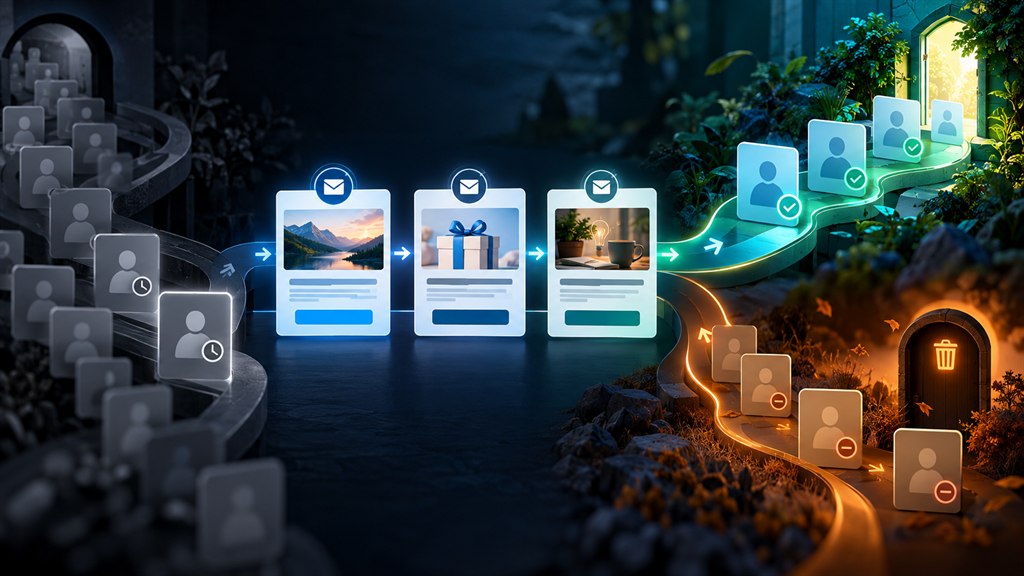
An email re-engagement campaign targets subscribers who have not opened or clicked for a set period — often 90 to 180 days — with a short sequence that reminds them of the value, asks whether they still want emails, and offers a reason to come back. Subscribers who still do not engage are suppressed under a sunset policy. This protects your sender reputation and email deliverability, so your emails keep reaching the people who do want them.
On this page
- Step 1: Define inactive subscribers
- Step 2: Build the re-engagement email sequence
- Re-engagement email examples and subject lines
- Step 3: Apply a sunset policy
- Email list cleaning and list hygiene
- Customer win-back vs subscriber re-engagement
- How to measure a re-engagement campaign
- A re-engagement email template
- Preference centers and email frequency
- Bounces, verification and list health
- Gmail and Yahoo sender requirements
- Email engagement metrics to watch
- Frequently asked questions
Every list decays: people change addresses, lose interest or abandon old inboxes. Email list decay matters because mailbox providers watch engagement — sending repeatedly to people who never open can push all your emails toward spam. Our email marketing guide explains deliverability in detail; this guide covers how to re-engage email subscribers and when to let them go.
Step 1: Define inactive subscribers
Decide what counts as inactive for your sending pattern. A weekly sender might use 90 days without a click; a monthly sender, 180 days. Because privacy features inflate opens, clicks, purchases and site visits are more reliable signals. Build engagement-based segmentation: active, cooling, inactive.
Step 2: Build the re-engagement email sequence
| Purpose | Example | |
|---|---|---|
| 1 | Remind them of the value | Your best content or products since they last engaged |
| 2 | Give a reason to return | An offer, a useful resource or new features |
| 3 | Ask directly | “Do you still want to hear from us?” with one-click yes and update-preferences options |
Space them a few days apart. A win back email campaign for lapsed customers can add a purchase-history touch: “Running low on [product]?”
Re-engagement email examples and subject lines
- “Is this goodbye?”
- “We’ve changed a lot since you last visited”
- “Still want our [topic] tips?”
- “Here’s 15% to welcome you back”
These re-engagement email subject lines work because they are direct. Pair them with a simple, single-purpose email — the best re-engagement email examples have one clear button. See our guide to writing and testing subject lines.
Step 3: Apply a sunset policy
A sunset policy decides what happens to people who still do not engage: stop sending to them (suppress) or remove inactive subscribers entirely. Suppression is usually safer — you keep the record and consent history but stop mailing. Many businesses also reduce frequency for “cooling” subscribers before they become inactive.
Email list cleaning and list hygiene
- Remove hard bounces immediately.
- Suppress repeat soft bounces and spam complainers.
- Use double opt-in to keep fake and mistyped addresses out.
- Avoid old or purchased lists, which can contain spam traps — addresses that exist only to catch poor sending practices.
- Run email list cleaning before large campaigns or after a long gap in sending.
Good list hygiene is the cheapest deliverability fix there is.
We clean lists, rebuild sender reputation and re-engage the subscribers worth keeping.
Customer win-back vs subscriber re-engagement
Customer win-back targets people who bought before but have not bought recently; subscriber re-engagement targets people who stopped interacting with emails. A reactivation campaign for customers can use purchase data — replenishment timing, new versions of what they bought, loyalty rewards — and can include SMS where they have opted in. See SMS vs email marketing.
How to measure a re-engagement campaign
- Share of inactive subscribers who click or buy during the campaign.
- Revenue from re-engaged subscribers over the following months.
- Changes in inbox placement and overall engagement after suppressing non-responders.
If deliverability problems persist, an email marketing agency offering email deliverability services can audit authentication, reputation and sending practices — see our email marketing service.
A re-engagement email template
A simple re-engagement email template — often called the “we miss you email”:
- A personal, honest opening: “It’s been a while.”
- One or two highlights of what they have missed.
- A clear choice: keep receiving emails, change preferences, or unsubscribe.
- Optionally, an incentive to come back.
Strong win-back email examples make the “keep me subscribed” button the most prominent element.
Preference centers and email frequency
Many people disengage because they get too many emails or the wrong topics. A preference center lets subscribers choose topics and frequency instead of unsubscribing. Offering to reduce email frequency — monthly instead of weekly — keeps people who would otherwise leave. This is a core part of any email reactivation strategy.
Bounces, verification and list health
- Hard bounce: a permanent failure (address does not exist) — remove immediately.
- Soft bounce: a temporary failure (full inbox, server issue) — suppress after repeated failures.
- Keep your overall bounce rate email figure low with email verification at sign-up and before importing older lists.
- An email list cleaning service can check large or old lists for invalid and risky addresses.
Gmail and Yahoo sender requirements
Since 2024, the Gmail and Yahoo sender requirements for bulk senders include authenticating mail with SPF and DKIM, publishing a DMARC policy, offering one-click unsubscribe and keeping the spam complaint rate low (Google asks senders to stay below 0.1% and never reach 0.3%). Re-engagement and suppression of inactive subscribers help keep complaints down.
Email engagement metrics to watch
Track clicks, conversions, unsubscribes, complaints and bounces by segment. These email engagement metrics show which subscribers to re-engage before they go fully inactive. If inbox placement keeps falling, an email deliverability consultant can audit authentication, reputation and sending practices — see our email marketing service.
Email re-engagement: frequently asked questions
What is an email re-engagement campaign?
A short sequence sent to subscribers who have stopped engaging, aiming to win them back or confirm they no longer want emails.
When is a subscriber considered inactive?
It depends on how often you send; common thresholds are 90 to 180 days without a click or purchase.
Should I delete inactive subscribers?
After a re-engagement attempt, stop sending to those who still do not respond. Suppressing them is usually safer than deleting, because you keep their consent history.
Why do inactive subscribers hurt deliverability?
Mailbox providers use engagement to judge whether your emails are wanted. Sending to many people who never engage can push your emails toward spam for everyone.
What are spam traps?
Email addresses used by mailbox providers and blocklists to identify senders with poor list practices, often found in old or purchased lists.
What is a preference center?
A page where subscribers choose which topics they receive and how often, giving them an alternative to unsubscribing completely.
What are the Gmail and Yahoo sender requirements?
Bulk senders must authenticate email with SPF and DKIM, publish a DMARC policy, provide one-click unsubscribe and keep spam complaint rates low.
What is the difference between a hard and soft bounce?
A hard bounce is a permanent delivery failure, such as an address that does not exist. A soft bounce is temporary, such as a full mailbox.
Should I use an email verification service?
Yes for older or imported lists, and at sign-up for large lists, to remove invalid addresses before they damage your sender reputation.