An SEO title is the text in a page’s HTML <title> tag. Search engines usually show it as the clickable headline of the result, browsers show it in the tab, and it is one of the strongest on-page signals of what the page is about. It is also called the title tag or meta title.
On this page
- What the title tag does
- SEO title vs H1
- How long should an SEO title be?
- Best practices
- Why Google rewrites titles
- Title tag examples by page type
- Useful title formulas
- How to change the title tag in common platforms
- How to check how Google shows your titles
- Common title tag mistakes
- SEO title vs page title vs H1
- Testing and improving titles
- Quick reference
- Frequently asked questions
What the title tag does
- Tells search engines the topic. The title is a strong relevance signal for the page’s primary keyword.
- Wins the click. It is the first thing searchers read in the results, so it directly affects click-through rate.
- Labels the browser tab and bookmarks.
- Becomes the default headline when shared on social platforms and messaging apps if no Open Graph title is set.
In HTML it looks like this: <title>Emergency Plumber in Houston | 24/7 Callouts | Acme Plumbing</title>
SEO title vs H1
The title tag appears in search results and the browser tab; the H1 is the visible headline on the page. They should cover the same topic but need not be identical — the title is often tighter and includes the brand, while the H1 can be more conversational.
How long should an SEO title be?
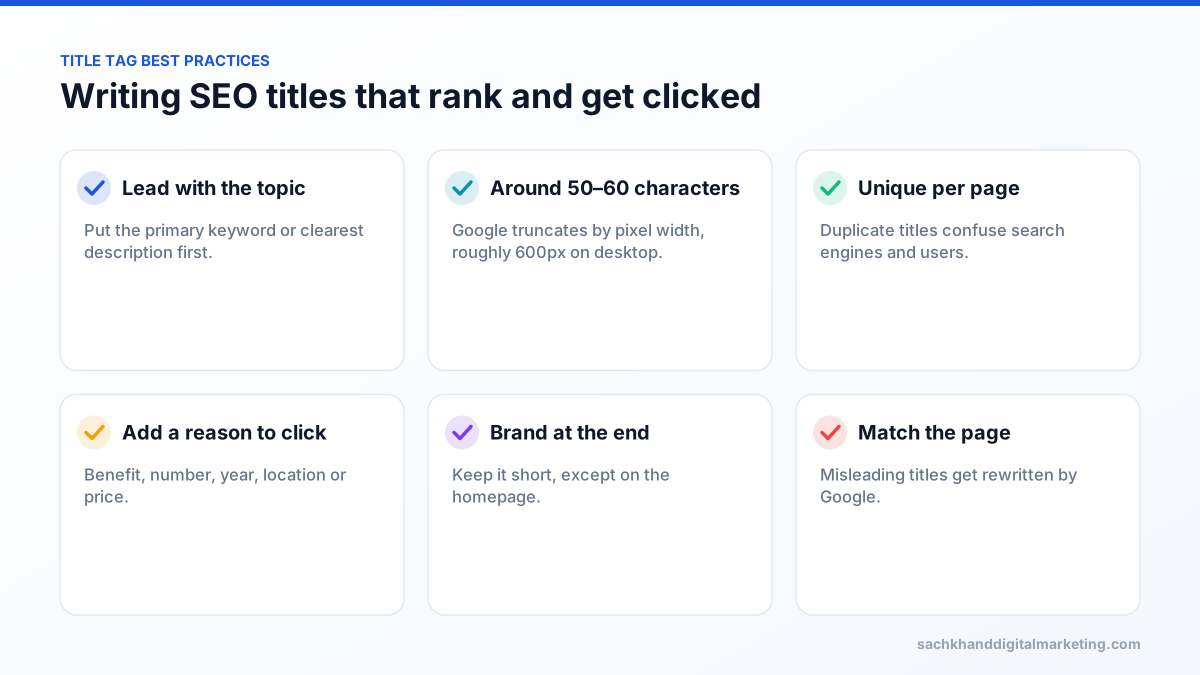
Google truncates titles by pixel width (roughly 600 pixels on desktop), which is usually around 50–60 characters. Longer titles are not penalised, but the end may be cut off with an ellipsis, so put the most important words first.
Best practices
- Write a unique title for every page.
- Lead with the primary keyword or the clearest description of the page.
- Add a reason to click: a benefit, year, location or number.
- Keep the brand name short and at the end, except on the homepage.
- Avoid keyword stuffing, all caps and repeated boilerplate across pages.
Why Google rewrites titles
Google sometimes shows a different headline from your title tag, drawing on the H1, other headings or anchor text. It usually does this when titles are missing, too long, stuffed with keywords, duplicated across pages or do not match the page content. Writing an accurate, concise title is the best way to keep yours.
Title tag examples by page type
| Page type | Weak title | Strong title |
|---|---|---|
| Homepage | Home | Acme Plumbing | 24/7 Emergency Plumbers in Houston |
| Service page | Services – Acme | Water Heater Repair Houston | Same-Day Service | Acme |
| Product page | Product 4471 | Oak Extendable Dining Table, Seats 6–8 | Brand |
| Category page | Shoes | Women’s Trail Running Shoes | Free Returns | Brand |
| Blog post | Blog post about SEO titles | SEO Title Tags: Length, Examples & Best Practices |
| Local page | Locations | Dentist in Leeds City Centre | Evening Appointments |
Useful title formulas
- [Primary keyword] | [Benefit] | [Brand]
- [Service] in [Location] | [Differentiator]
- [Topic]: [Number] [Tips/Examples/Steps] ([Year])
- What Is [Term]? Definition & Examples
- [Product] – [Key feature] | [Brand]
How to change the title tag in common platforms
- WordPress: SEO plugins such as Yoast or Rank Math add an “SEO title” field below the editor.
- Shopify: edit “Search engine listing” at the bottom of product, collection and page editors.
- Wix and Squarespace: use the page’s SEO settings panel.
- Custom sites: edit the
<title>element inside the page’s<head>.
How to check how Google shows your titles
Search for your page’s main keyword or use a site: search for the URL to see the title link Google displays. In Search Console, compare click-through rates between pages; unusually low CTR at good positions often indicates an unappealing or rewritten title.
Common title tag mistakes
- The same title on many pages, such as “Products | Brand”.
- Stuffing several keyword variations separated by pipes.
- Very long titles with the important words at the end.
- Titles that promise something the page does not deliver.
- Missing titles on dynamically generated pages.
SEO title vs page title vs H1
These terms are often confused. The SEO title (title tag) is the HTML <title> element shown in search results and browser tabs. In many content management systems, the page title field sets the visible heading on the page, which is usually the H1. SEO plugins let you set a separate SEO title so the search result headline can be optimised independently of the on-page heading.
Testing and improving titles
- Export pages from Search Console with high impressions and below-average CTR for their position.
- Rewrite titles to lead with the searcher’s main need and add a clear reason to click.
- Change a batch of similar pages, such as location pages, rather than one page, to see a clearer signal.
- Compare CTR over four to eight weeks against a similar batch you did not change.
Quick reference
| Question | Answer |
|---|---|
| Ranking factor? | Yes, a strong on-page signal |
| Recommended length | About 50–60 characters |
| Brand name? | Usually at the end |
| Can Google change it? | Yes, if it is unclear, too long or inaccurate |
| Unique per page? | Always |
Frequently asked questions
Is the title tag a ranking factor?
Yes. The title tag remains one of the most important on-page signals of relevance, and it strongly influences click-through rate.
What is the difference between a meta title and a title tag?
None. Meta title, SEO title and title tag all refer to the HTML <title> element.
Why is Google not showing my title tag?
Google may rewrite titles that are too long, duplicated, keyword-stuffed or that do not describe the page accurately. It often substitutes the H1 or another prominent heading.
How long should an SEO title be?
Aim for roughly 50–60 characters so it displays fully on most devices. Google measures by pixel width, so wide letters take more space. Put the most important words first.
Want experts to handle this for you?
Our specialists turn these fundamentals into rankings, leads and revenue. Start with a free, no-obligation audit of your site.